Try this setup#
Open in the editor Home page → Blog preview
Bring published articles into the home page.
- Create and publish your articles in Shopify before connecting the section.
- Open Blog preview and select the blog you want to show. Choose how many articles to display.
- Preview article images, headings and links. If you do not have articles ready, hide the section until you do.
See the Blog preview controls
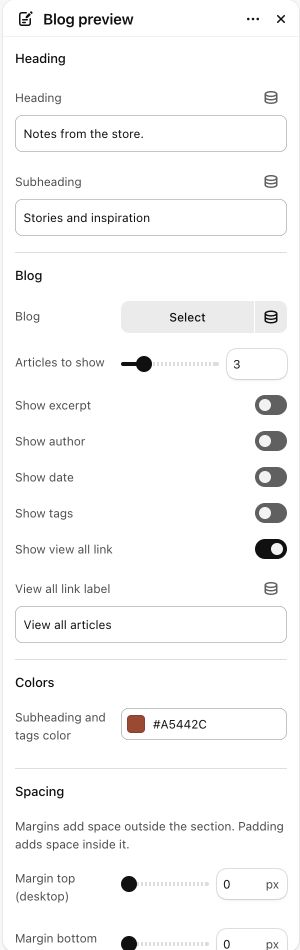
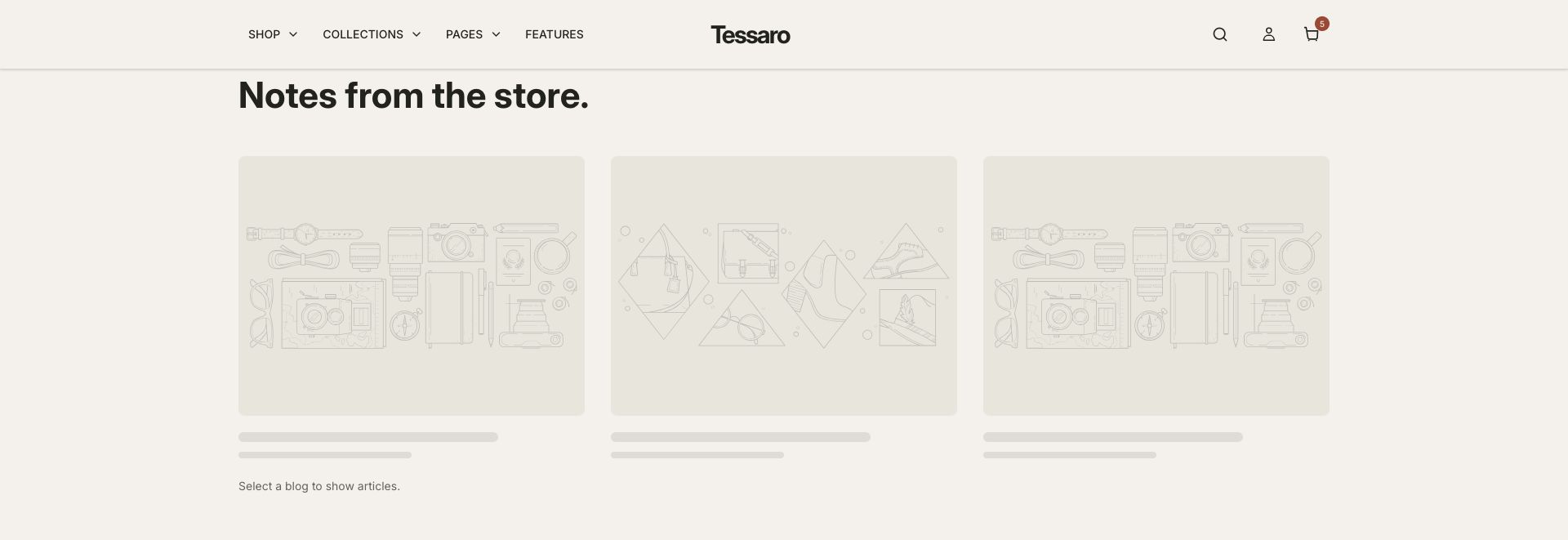
What to look for Real article cards replace the empty selection state shown below.
When to use it#
Feature recent articles from a selected Shopify blog.
Set up#
Select the blog and set the heading, card count and visible article information.
Available from Add section where supported by its template restrictions.
Section settings#
These are schema defaults. Your installed theme or selected preset can use different saved values.
Heading
Heading#
Adjust this control in the theme editor and preview the result in the relevant template.
- Control
- text
- Default
- From the journal
Subheading#
Adjust this control in the theme editor and preview the result in the relevant template.
- Control
- text
- Default
- Not set
Blog
Blog#
Adjust this control in the theme editor and preview the result in the relevant template.
- Control
- blog
- Default
- Not set
Show excerpt#
Adjust this control in the theme editor and preview the result in the relevant template.
- Control
- checkbox
- Default
- On
Show author#
Adjust this control in the theme editor and preview the result in the relevant template.
- Control
- checkbox
- Default
- On
Show date#
Adjust this control in the theme editor and preview the result in the relevant template.
- Control
- checkbox
- Default
- On
Show tags#
Adjust this control in the theme editor and preview the result in the relevant template.
- Control
- checkbox
- Default
- On
Show view all link#
Adjust this control in the theme editor and preview the result in the relevant template.
- Control
- checkbox
- Default
- On
View all link label#
Adjust this control in the theme editor and preview the result in the relevant template.
- Control
- text
- Default
- View all articles
Colors
Subheading and tags color#
Adjust this control in the theme editor and preview the result in the relevant template.
- Control
- color
- Default
- #806042
Spacing
Margins add space outside the section. Padding adds space inside it.