Give the page a useful ending#
Open in the editor Footer → Blocks
Keep contact, policy and navigation links together.
- Connect footer menu blocks to your actual menus.
- Add real social destinations in Theme settings → Social media.
- Use one clear newsletter invitation and review the policy links.
What to look for Every visible footer link has a destination and the information matches your business.
Set up the footer#
- Open the shared Footer section.
- Add Newsletter, Menu, Text, or Social media blocks as needed.
- For each menu column, enter a heading and select a menu with links.
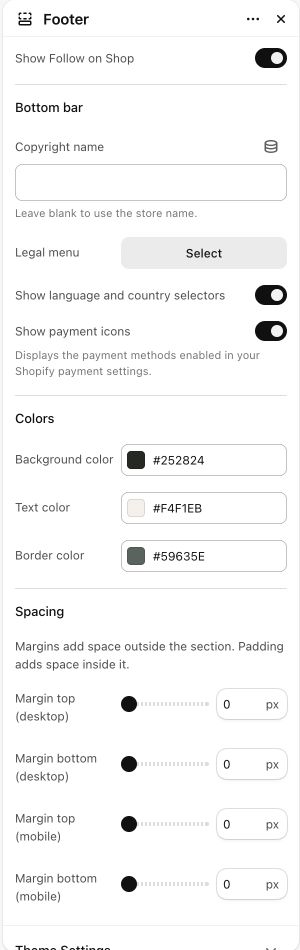
- Choose a Legal menu for your policy navigation. These links come from that menu, not a built-in list of policy pages.
- Set Copyright name, or leave it blank to use the store name.
- Choose whether language/country selectors, payment icons, and Follow on Shop should appear when eligible.
Empty menu columns#
In the current local footer revision, a menu block with no links is hidden on the storefront and excluded from the desktop column count. The editor retains the block and its setup instruction. Older installed revisions may still show an empty heading; check that your theme contains the corresponding footer update.
Newsletter forms#
The footer signup uses Shopify’s customer form with a newsletter tag. Set the heading, text, and button label. Marketing consent, double opt-in, email delivery, and automations are store/service settings. A signup form does not create a discount code or send a welcome email by itself.
Social links and legal content#
Add social URLs under Theme settings → Social media. Empty social URLs do not produce social links. Create your actual store policies and connect legal destinations; do not publish sample terms as your policy.